A UI/UX research project reimagining how students discover career opportunities within the Berea College Computer Science community
Problem Statement
Finding the right opportunities has become increasingly difficult, especially with the intense competition in today's job market.
At Berea College, students and alumni frequently share career-related opportunities with one another through the CS Berea Slack workspace. The jobs_internships_prof_dev channel serves as the primary hub for "internships, consulting, career exploration, part-time and full-time post-graduate opportunities."
Currently, students lack the time to scroll through numerous posts in the Slack channel. Opportunities with deadlines frequently get buried as new messages appear, and posts automatically disappear after 90 days.
Students who aren't constantly checking Slack miss out on valuable chances simply due to poor visibility and limited filtering options.
Current computer science students at Berea College who use this channel to find opportunities such as internships, jobs, career events, and professional development resources.
Research
I analyzed several platforms that help students discover opportunities to understand their strengths and limitations:
These alternatives fail to capture the community-centered nature of Slack and lack the broad range of opportunities students need. There's an opportunity for a solution that combines persistent, searchable organization with Slack's community authenticity.
User Research
To ensure the design meets real user needs, I developed two key personas representing different stakeholders
Primary Stakeholder
Why Olivia? She represents the core users who struggle with volume, timing, and lack of organization within the Slack feed. As a busy student juggling coursework and internship searches, she often resorts to platforms like LinkedIn even though they don't account for her other interests like hackathons, fellowships, and conferences.
Stakeholder
Why Professor Montminy? She represents the faculty perspective - those who share opportunities and want students to succeed. Including her ensures the design serves both consumers and contributors of opportunities.
Research Method
To pinpoint the best layout for displaying opportunities that's easy to read, find, filter, and interact with.
I conducted Participatory Design sessions with a diverse group of stakeholders and end-users to discuss different platform layouts. In these focus groups, I presented various web app layouts and encouraged participants to share their thoughts about each one.
This method enabled me to identify what people prioritize, discover similarities between solutions, and record strong opinions on particular layouts and features.
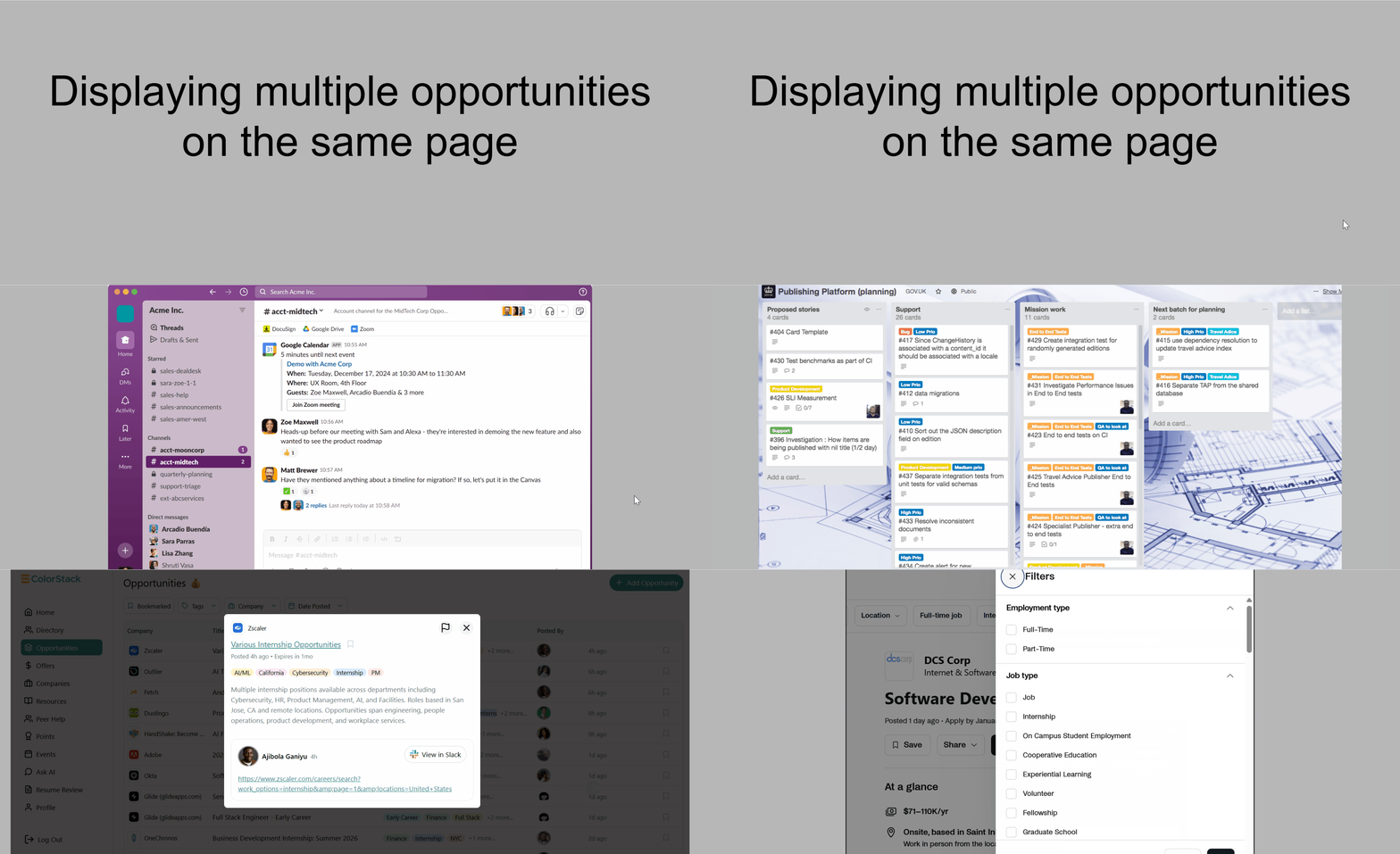
I presented various web app layout options to participants to gather feedback:
Insights
Not well liked
Most preferred
Also well liked
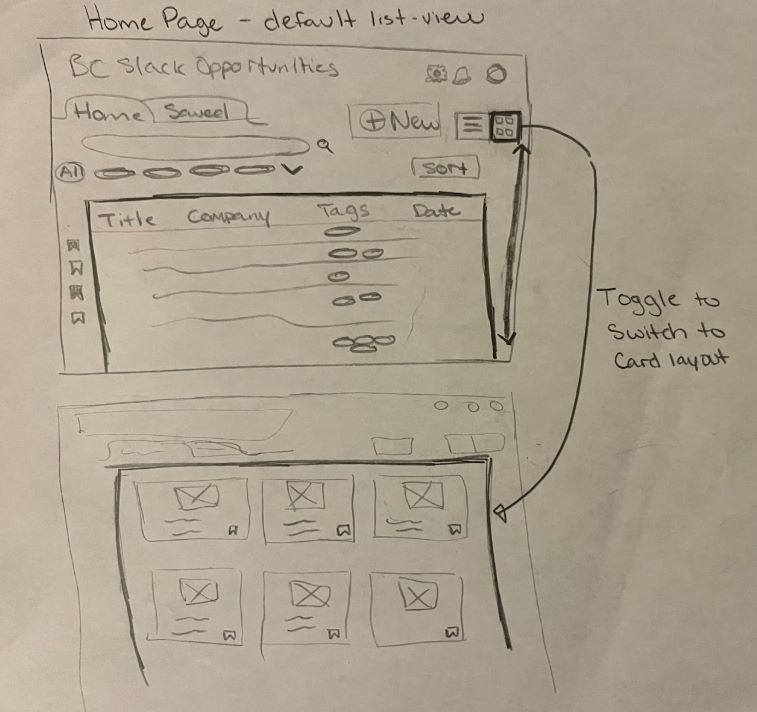
Due to the strong division between List View and Card View preferences, I decided to offer both viewing options so users can choose the format that best suits their needs at the moment.
Design
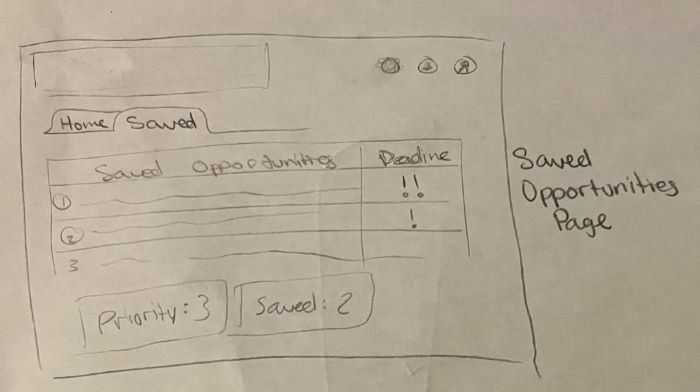
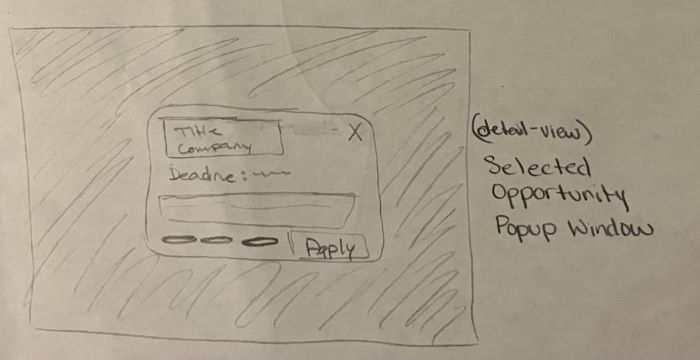
After gathering feedback, I translated insights into low-fidelity sketches to explore layout, navigation, and information hierarchy.
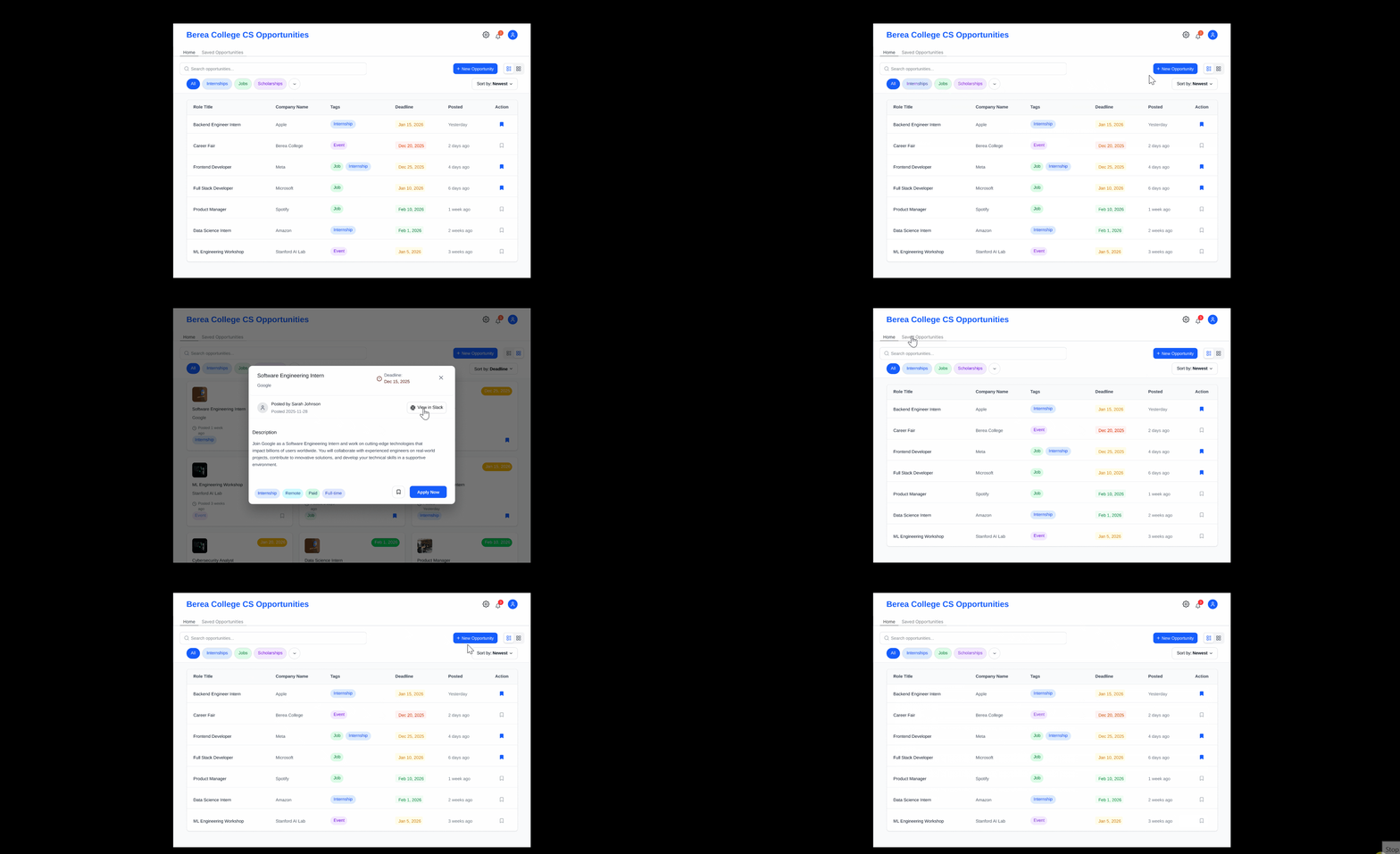
I recreated all initial sketches in Figma, refining the design and expanding different states. During this stage, I also added a new page specifically for users who want to post opportunities directly through the app.
Validation
To validate design decisions and test the clarity of user flows, I conducted a cognitive walkthrough using the Figma prototype with a fellow CS student. I observed them completing the three core tasks with no guidance.
The participant immediately looked to the top-right corner to switch views - exactly where the toggle was placed. The task was completed smoothly, showing the structure felt familiar and intuitive.
Completed without difficulty, but the participant asked what happens to completed opportunities - users may want to revisit them later.
Action Taken: Added a subtle gray "Completed" button below the navigation bar for easy access to previously completed opportunities.
Completed successfully with no confusion.
Future Improvement: Add a post-management section where users can view or edit opportunities they've personally submitted.
Final Deliverable
This project represents a comprehensive approach to solving a real problem within the Berea College CS community through human-centered design principles.
Below is a walkthrough of the final Figma prototype demonstrating the key user flows: